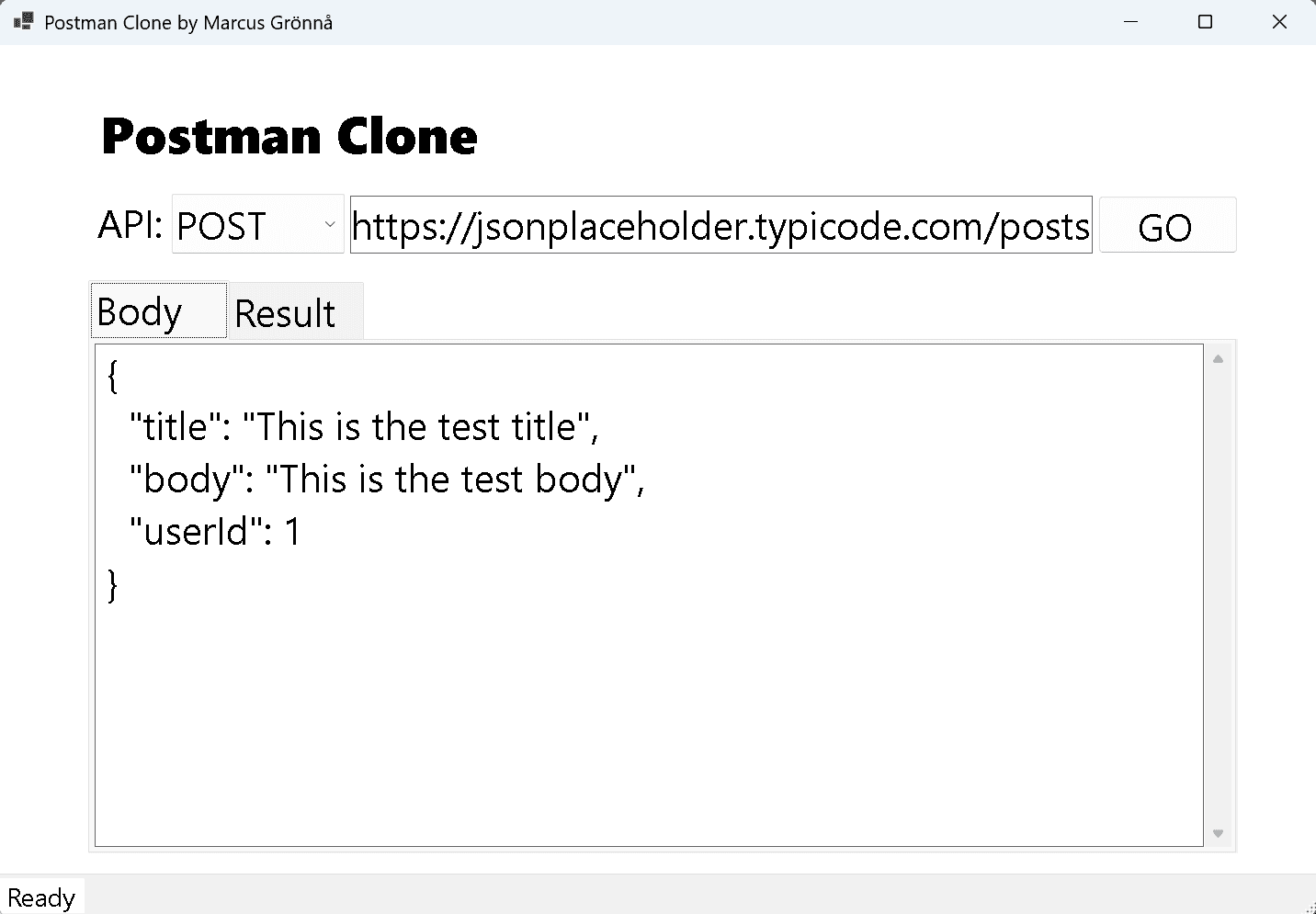
Postman Clone
A desktop tool built with C# and WinForms for sending HTTP requests and viewing JSON responses. Built as a learning project to explore desktop development and understand how API testing tools work under the hood.
Tech Stack
C# · .NET 10 · WinForms · HttpClient
Problem / Context
As a web-focused developer, I wanted to try WinForms desktop development and understand how HTTP clients work at a lower level. Building a simplified Postman-style tool was a practical way to do both: build a desktop UI and understand the mechanics behind API testing tools. This project was inspired by a tutorial and built as a learning exercise.
Solution / Architecture
The application is a WinForms desktop app built in C# / .NET 10. It provides a UI for selecting the HTTP method (GET, POST, PUT, DELETE), entering a URL, optionally providing a request body, and viewing the formatted JSON response. HttpClient handles the actual HTTP communication. The focus was on understanding desktop UI patterns, event-driven WinForms programming, and correct use of HttpClient for API calls.
Goals
- Explore WinForms desktop development as a contrast to web-based UIs
- Understand how HttpClient works for making HTTP requests in C#
- Build a functional tool for sending HTTP requests and viewing responses
- Practice event-driven desktop UI programming
Challenges
- Learning WinForms layout and event model coming from a web background
- Handling async HTTP calls correctly in a WinForms event-driven context
- Displaying and formatting JSON responses in a readable way
Key Technical Decisions
- WinForms for a lightweight desktop UI without needing WPF or MAUI overhead
- HttpClient for HTTP communication – the standard .NET approach
- Kept scope intentionally small – the value is the learning, not a production tool
Results / Impact
- A working desktop tool for sending HTTP requests and viewing JSON responses
- Hands-on experience with WinForms, desktop event handling, and HttpClient
- Better understanding of how API testing tools work under the hood
What I Would Improve Next
- Add request history and saved collections
- Support custom headers and authentication flows
- Explore migrating the UI to .NET MAUI for cross-platform support